 English
 Bengali
87BD Account Verification (KYC)
Verification at 87BD takes up to 24 hours after document upload. Required documents: one government-issued ID (NID, passport, or driver's license) plus a selfie holding it.
That's the practical version. Most players complete verification on the first try. The ones who don't usually fail for one of five specific reasons — name mismatch with their bKash wallet, blurry photos, expired documents, partial scans, or selfie that doesn't clearly show the ID.
This page covers exactly what to send and how to avoid the common rejection reasons. Submit it right the first time and you save 24+ hours.
Three items, one upload session
1. Personal information form
Fill in directly on the platform under Account → Verification:
- • Nickname — what's displayed in chat and on leaderboards
- • Email — must match registration
- • Full name — exactly as printed on your ID document. Must match your bKash/Nagad/Rocket wallet registration. Mismatches cause withdrawal failures, not just verification rejections.
- • Mobile number — must match registration
- • ID type — choose NID, passport, or driver's license
- • ID number — the number on the document you've chosen
2. ID document image
Upload a clear photo or scan of the chosen ID:
| Document type | What to upload |
|---|---|
| NID (Bangladesh National ID Card) | Both sides — front with photo and details, back with address and barcode |
| Passport | Photo page only |
| Driver's License | Both sides if double-sided |
Format requirements:
- ✓ JPG, PNG, or PDF
- ✓ Max 5 MB per file
- ✓ All four corners visible
- ✓ No glare blocking any text
- ✓ Readable at full resolution
- ✓ Document held flat, not at an angle
3. Selfie with ID
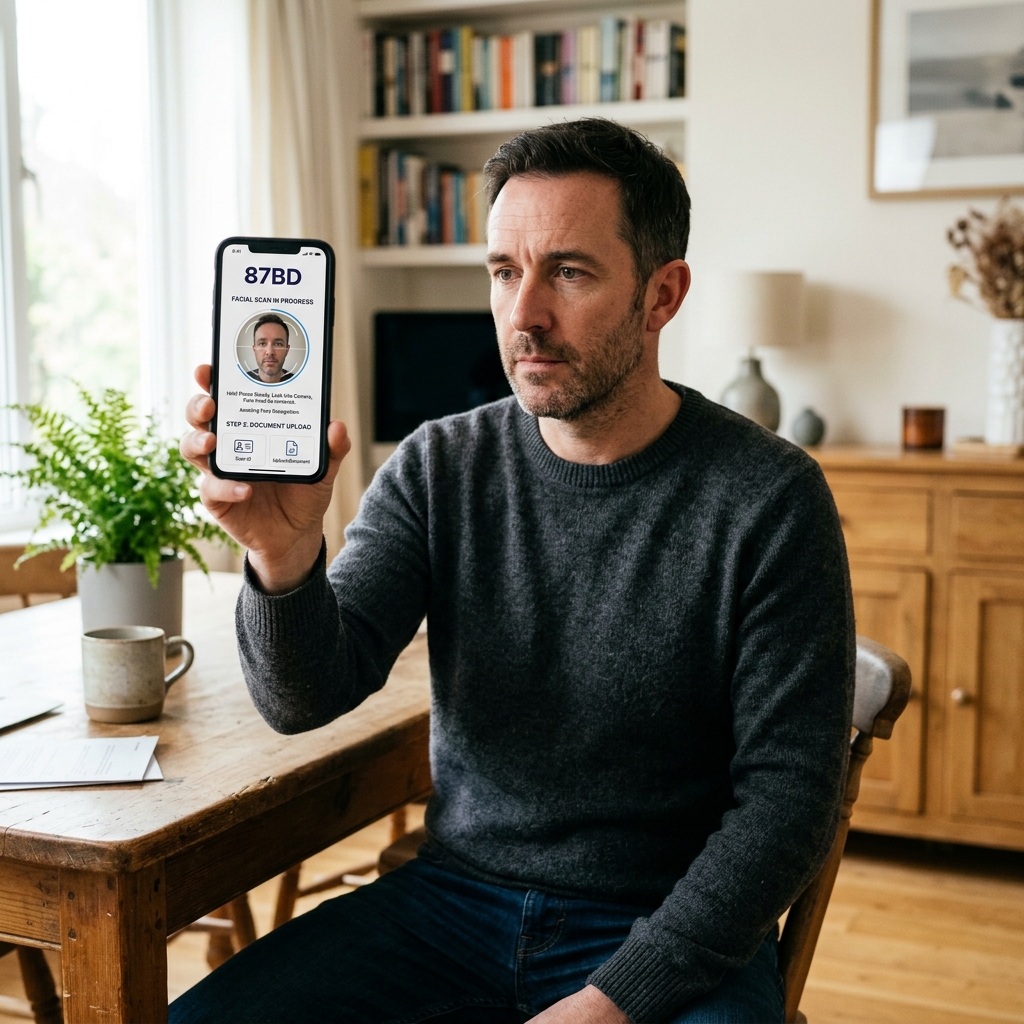
Photo of yourself holding the ID next to your face.
- 📸 Your face — clearly, in focus
- 📸 ID photo — clearly, in focus
- 📸 ID name and number — readable
The selfie prevents someone else from verifying with your stolen ID. Your face must match the document's photo.
The rejection patterns we see weekly
Name on form doesn't match name on ID
Always use the exact name printed on your ID, including order.
Some Bangladeshi NIDs print "Father's Name + Personal Name" — use the order shown on your document. Even a missing middle name causes rejection.
If your name on the ID differs from what you go by daily, use the ID version. The casino has to match across systems: form → ID → wallet → bank account. Any link breaking causes verification or withdrawal failure later.
ID is expired
Expired NIDs, passports or licenses are rejected by default.
Renew before uploading. If you have an expired ID and a new one in process, contact support — sometimes we can accept an expired ID plus government-issued renewal receipt during transition periods.
Selfie doesn't clearly show ID details
This is the most common rejection cause. The ID details (name, number, photo) need to be readable in the selfie, not just visible.
Common mistakes:
- ID too far from camera — text becomes unreadable
- Glare from overhead lights blocking text on the ID
- Hand covering critical fields (name, photo, number)
- Selfie taken in low light
- Phone camera focusing on your face instead of the ID
How to take a good selfie: good lighting (window light works), ID flat against your chest at chin level, both your face and the ID details in focus, no fingers covering any field.
Wallet name doesn't match KYC name
Your bKash/Nagad/Rocket wallet must be registered to the same name as your verified ID.
Wallet under "Mohammed Rahman" can't pay out to a verified account named "Ahmed Khan". Even spelling variations matter.
Fix: re-register the wallet in your real name (match the ID exactly), or contact support if there's a legitimate name change (marriage, legal change with documentation).
Document address doesn't match registration address
For some larger withdrawals, we may request proof of address (utility bill, bank statement within last 3 months). The address on the proof must match the address you provided at registration.
Fix: contact support to update registration address before submitting proof. Or provide proof matching the registered address.
What we actually do with your documents
You upload
All three items (form, ID, selfie) go through the verification page. Submit them together — partial uploads delay review because the reviewer waits for the missing pieces.
Initial check (within a few hours)
A reviewer opens your submission and checks basics:
- Documents readable?
- Names match between form and ID?
- Selfie clearly shows both face and ID?
Full verification (within 24 hours of upload)
A senior reviewer cross-checks documents against fraud databases and confirms identity is valid.
This is the bulk of the wait. We can't substantially speed it up — the cross-checks take real time and human review.
Approval notification
Email confirms verification complete. Account page shows verified status. Withdrawals enabled up to standard limits.
What you can do that you couldn't before
Once verified:
You don't need to re-verify periodically. Once done, you're done.
Honest explanation, not bureaucratic boilerplate
KYC isn't arbitrary friction. Four real things it does:
Anti-money laundering (AML) compliance
PAGCOR licensing requires identity verification for any account that withdraws funds. This is standard across all licensed gambling jurisdictions worldwide — Malta, UK, Curacao, anywhere with real regulation.
The framework prevents casinos from being used to clean illegally obtained money.
Anti-fraud (your accounts, not just ours)
Stolen accounts are the main fraud vector in online gaming. Someone gets your password (data breach, phishing, weak password reuse), drains your balance through fake withdrawals to their own wallet.
KYC means withdrawal destination must match a verified ID. Even if someone gets your password, they can't redirect your money to themselves — they'd need your ID too.
Underage protection
PAGCOR rules and Bangladeshi norms prohibit gambling by anyone under 18. KYC documents show date of birth.
If you're under 18, the account closes and any balance is refunded to the source method.
Single-account enforcement
KYC means we can detect attempts to open multiple accounts using the same ID — which the Terms of Service prohibit.
FAQ specific to verification
The 24h SLA is a ceiling. Faster completion depends on document quality and how busy the review queue is.
You can deposit and play immediately after creating an account. Just complete KYC before you want to cash out.
Any one of the three works. If you have none of these, contact support — there are limited alternative documents we can accept in special cases.
We share them only with regulators if formally requested. We don't sell them, don't display them to support staff beyond what's needed for review.
Phone cameras struggle with text in low light. Daylight or strong indoor lighting fixes this. Hold the phone steady and tap the screen to focus on the document text before capturing.

